Somewhere along the line, I missed the fact that WatchMaker went and got itself a new website! And along with this, they are now hosting watch faces themselves, which you can easily publish to from the app.
I have quite a lot of watch faces on FaceRepo, but I am currently in the process of uploading them all to the official repo.
These can now be downloaded from my WatchMaker profile page.
Thursday, 24 August 2017

Monday, 27 February 2017
First braille smartwatch
I stumbled across a really interesting article today, which shows someone has finally produced something I've been thinking about for a while...


If you want more information, check out the website... https://dotincorp.com/shop/product/dot-watch/

That's right, a braille smartwatch! What a genius idea. And it's called "Dot Watch".
A quote from their website...
Touch the display. Feel the Dots come up and prod at your fingertips.How many are there? One followed by two Dots on the hour module?That means that it's now 12 o'clock. Checking for time is that simple.So are getting notifications. Just wait for your Dot Watch to vibrate - it'll tell you who reached out.

If you want more information, check out the website... https://dotincorp.com/shop/product/dot-watch/
Sunday, 26 February 2017
Free Ottega watch anyone?
Ok, this is a bit off topic, but have you seen that Ottega currently has some of their watches going to free, yes that's £0, on their website?
Check it out... https://www.ottega.co.uk/collections/watches
And this isn't even a referral link, I just thought it was too good to miss! You do have to pay £7.99 postage, but that's a very small price to pay.
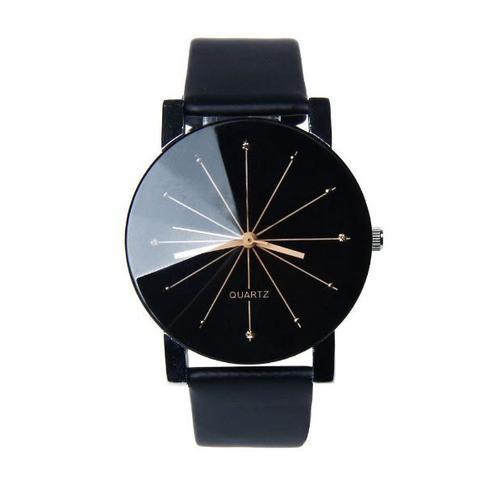
Personally, I'm getting the Elite in black...

Check it out... https://www.ottega.co.uk/collections/watches
And this isn't even a referral link, I just thought it was too good to miss! You do have to pay £7.99 postage, but that's a very small price to pay.
Personally, I'm getting the Elite in black...
Tuesday, 14 February 2017
New privacy policy
Google, in their infinite wisdom, have decided to start having a clear up of older apps, but removing ones which don't have a privacy policy URL defined. This is fine, but not defining one was clearly an option before, and my apps simply deliver a watch face, and therefore don't really need one.
So I have created a generic one, and here it is...
So I have created a generic one, and here it is...
- This app does not collect any user data, personal or otherwise.
- This app does not collect any payment or financial data.
- This app does not collect any phonebook or contact data.
- This app does not contain any antivirus or security functionality.
- This app adheres to all of the Google Play Privacy and Security stipulations.
Clear and concise?
Unfortunately I had to go through each of the apps and update them one by one! Hopefully they should all be showing the updated details within a few hours, including my new website... http://www.rik.onl.
Thursday, 18 August 2016
New watch faces - Weather
I've been working on a couple of weather related watch faces, which focus primarily on providing a detailed forecast.
Both watch faces show the date and digital time in small at the top, with the current weather icon taking center stage. Along the bottom is a full forecast for the week, showing the day, min/max temperatures, the forecast temperature and weather icon. Also displayed are the sunrise and sunset times.
Weather Silver (download from Play store)
The first watch face has sleek silver weather icons...

Weather White (download from Play store)
The seconds watch face has flat white weather icons...

Both of these can be downloaded from the Play store (see links above).
View all my watch faces on the Play Store.
Both watch faces show the date and digital time in small at the top, with the current weather icon taking center stage. Along the bottom is a full forecast for the week, showing the day, min/max temperatures, the forecast temperature and weather icon. Also displayed are the sunrise and sunset times.
Weather Silver (download from Play store)
The first watch face has sleek silver weather icons...

Weather White (download from Play store)
The seconds watch face has flat white weather icons...

Both of these can be downloaded from the Play store (see links above).
View all my watch faces on the Play Store.
Wednesday, 17 August 2016
New series - Quarts
I've just discovered a series of watch faces that I made a few months ago, and forgot to do anything with.
These are all based on the same premise, which is that no one really needs to know the exact time - do we really need to worry about seconds? Definitely not! In fact, I argue you don't even need to know minutes, and just quarter-of-an-hour blocks is all you need.
All the watch faces show the time only, no fuss and bother, nice and simple. Each hour is represented by an image, split into quarters for each 15 mins. There is also a smaller image on the left/right to indicate am/pm.
Each of the examples below shows the time is between 10:45am and 10:59am.
Quarts Circle (download from Play store)

Quarts Square (download from Play store)

Quarts Star (download from Play store)

So relax, download one of these watch faces, and don't be hindered by the constant need to know the exact time! What time are you meeting your friend? Half past! No one meets at 1:37 precisely :)
All of these can be downloaded from the Play store (see links above).
View all my watch faces on the Play Store.
These are all based on the same premise, which is that no one really needs to know the exact time - do we really need to worry about seconds? Definitely not! In fact, I argue you don't even need to know minutes, and just quarter-of-an-hour blocks is all you need.
All the watch faces show the time only, no fuss and bother, nice and simple. Each hour is represented by an image, split into quarters for each 15 mins. There is also a smaller image on the left/right to indicate am/pm.
Each of the examples below shows the time is between 10:45am and 10:59am.
Quarts Circle (download from Play store)

Quarts Square (download from Play store)

Quarts Star (download from Play store)

So relax, download one of these watch faces, and don't be hindered by the constant need to know the exact time! What time are you meeting your friend? Half past! No one meets at 1:37 precisely :)
All of these can be downloaded from the Play store (see links above).
View all my watch faces on the Play Store.
Tuesday, 16 August 2016
New watch faces - Hack the planet!
I've been working on a couple of simple watch faces, inspired by the 1995 film Hackers, with the famous line "Hack the Planet!".
Both watch faces show the date, digital time, and both the watch and phone battery levels.
Hack The Planet (download from Play store)
The first includes the slogan and looks like this...

Hack The Planet 2 (download from Play store)
The seconds focuses in on the artwork and looks like this...

Both of these can be downloaded from the Play store (see links above).
View all my watch faces on the Play Store.
Both watch faces show the date, digital time, and both the watch and phone battery levels.
Hack The Planet (download from Play store)
The first includes the slogan and looks like this...

Hack The Planet 2 (download from Play store)
The seconds focuses in on the artwork and looks like this...

Both of these can be downloaded from the Play store (see links above).
View all my watch faces on the Play Store.
Monday, 15 August 2016
Deus Ex becomes FlickTek
Apparently the team at Deus Ex have received a letter from the Eidos lawyer, saying that they are infringing the Deus Ex saga trademark, so they have been pushed to change their name. They are now called FlickTek!
At the moment they're having a little trouble with the on/off button so they're changing the component, and they're switching factory because they weren't happy with the quality of workmanship, so there are some tweaks to be made, and this is causing further delays. Better to get it right though!
They're also planning to release an iCrap version as well, for those who are so inclined.
They are still using the website AriaWearable.com but are now also setting up FlickTek.com, although there's nothing but a footer there at the moment.
They keep teasing us with updates, but it looks like they might be very close to releasing the units now. They've said...
We have worked a lot in the last months to ensure you will receive an Aria that could satisfy all our promises and all your expectations. At the end of June we received the first 35 units from the production and although some issues that are delaying the shipments, the devices work better than we expected!
The recognition rate is top level, the new sensors are fantastic, no other device is even close to what we achieve and the communication is fast and reliable. Please check out this video...
At the moment they're having a little trouble with the on/off button so they're changing the component, and they're switching factory because they weren't happy with the quality of workmanship, so there are some tweaks to be made, and this is causing further delays. Better to get it right though!
They're also planning to release an iCrap version as well, for those who are so inclined.
Tuesday, 9 August 2016
New watch face - Screensaver
Do you remember the days when computers had screensavers? I'm sure they still do, but does anyone really use them now? It's all about security and lock screens these days.
Well I wanted to do a little shout out to those days, with my own classic screensaver style watch face. The time bounces and rotates around the screen, in a rainbow of different colours.
If the colours aren't your thing, click the center of the screen and the text will change to white.
The fun continues in dim mode, but without the colour.
Download it now from the Play Store.
Here is a preview, exported directly from WatchMaker using the "Animated GIF" option...


Well I wanted to do a little shout out to those days, with my own classic screensaver style watch face. The time bounces and rotates around the screen, in a rainbow of different colours.
If the colours aren't your thing, click the center of the screen and the text will change to white.
The fun continues in dim mode, but without the colour.
Download it now from the Play Store.
Here is a preview, exported directly from WatchMaker using the "Animated GIF" option...

This is the watch in normal/bright mode...

This is the watch in dim mode...

Monday, 8 August 2016
New watch face - Command Prompt
I've had a vision in my head for a few months now, of a watch that looks like the Command Prompt in Windows.
I didn't want to make it look identical, with the terminal window and everything, but I did want it to look like the commands were being typed in, and the results returned.
I played about with a few ideas before I was happy with it, but I really think it's turned out better than I anticipated! It takes 4 seconds to show the full details.
Download it now from the Play Store.
This is a slightly sped up version, exported directly from WatchMaker using the "Animated GIF" option...


Download it now from the Play Store.
View all my watch faces on the Play Store.
I didn't want to make it look identical, with the terminal window and everything, but I did want it to look like the commands were being typed in, and the results returned.
I played about with a few ideas before I was happy with it, but I really think it's turned out better than I anticipated! It takes 4 seconds to show the full details.
Download it now from the Play Store.
This is a slightly sped up version, exported directly from WatchMaker using the "Animated GIF" option...

This is the preview in normal/bright mode, with the full details showing...

This is the dim mode, which just shows the time...

Download it now from the Play Store.
View all my watch faces on the Play Store.
Monday, 1 August 2016
New series - Ochs & Junior
I stumbled across the Ochs Und Junior website whilst looking for inspiration for a new watch face. I decided I liked these watches so much that I'd try to replicate my favourites using WatchMaker, my go-to watch face app.
The designer, Dr Ludwig Oechslin's main design principle was that an analogue date display is more readable than a digital display from the same distance, and unlike large digital displays, the date dot is not a distraction when checking the time.
Date (download from FaceRepo)
Dr Ludwig Oechslin's date watch displays the essentials - time and date. Lovely and minimalist.

Dr Ludwig Oechslin's annual calendar watch displays the date, month, weekday and time. The 7 holes on the lower dial display the weekday (counterclockwise rotation), with Sunday at the top. The 12 holes on the upper dial display the month (counterclockwise rotation).

Dr Ludwig Oechslin's moon phase watch displays the moon phase, date, and time. The center represents earth and 12 o'clock represents the sun. Full moon is when the moon is opposite the sun and earth at 6 o'clock. New moon is when the moon is hidden between the sun and earth at 12 o'clock.

This watch is based on the same style as Dr Ludwig Oechslin's watches, but is a variation of my own design. The 10 holes on the lower dial display the charge remaining in your watch (the top hole pulses whilst charging). The 10 holes on the upper dial display the charge remaining in your phone (the top hole pulses whilst charging).

Dr. Ludwig Oechslin's perpetual calendar watch is designed for everyday use. Analog dots represent the year, month and date to address a key usability challenge with calendar watches: making the date legible, without resorting to an oversized display which distracts from reading the time. The 4 perforations in the month disk indicate the month, and also show whether it is a leap year or a common year. When the outermost dot is orange, it is a leap year (366 days), but when it is dark, it is a common year (365 days). The small circle beneath 12 o'clock is the power reserve indicator - the disk rotates counterclockwise. Just above the 6 o'clock marker is a seconds disk with a milled excentric dot, which shows the watch is running. There is also a day/night marker, which uses the sunrise/sunset time to determine whether it is lit.

The designer, Dr Ludwig Oechslin's main design principle was that an analogue date display is more readable than a digital display from the same distance, and unlike large digital displays, the date dot is not a distraction when checking the time.
Date (download from FaceRepo)
Dr Ludwig Oechslin's date watch displays the essentials - time and date. Lovely and minimalist.

Calendar (download from FaceRepo)

Moon Phase (download from FaceRepo)

Charge (download from FaceRepo)

Perpetual (download from FaceRepo)

On each of these watch faces, tapping the center will change the watch face colour from grey to blue to green to yellow, although the original grey is definitely my personal preference.
Saturday, 30 July 2016
WatchMaker - unpacking the .watch file - updated!
WatchMaker has been enhanced since I wrote this post originally, so I thought I'd post an updated version.
When you export a watch from WatchMaker, the app creates a ".watch" file. This can then be imported by someone else, or uploaded to a face sharing website (such as FaceRepo) for others to enjoy.
If you're like me though, you might be interested in how this ".watch" file is made up though, what it contains. So let's take one of my first watch faces for example...

The file itself is a ZIP archive, so the first step is to extract the files. Personally I prefer 7-Zip, but you can use the tool of your choice for this.
After you've unpacked the files, you should see a structure something like this...

The files included in this example are...

When you export a watch from WatchMaker, the app creates a ".watch" file. This can then be imported by someone else, or uploaded to a face sharing website (such as FaceRepo) for others to enjoy.
If you're like me though, you might be interested in how this ".watch" file is made up though, what it contains. So let's take one of my first watch faces for example...
The file itself is a ZIP archive, so the first step is to extract the files. Personally I prefer 7-Zip, but you can use the tool of your choice for this.
After you've unpacked the files, you should see a structure something like this...

The files included in this example are...
- fonts
- Roboto-Regular.ttf
- images
- .img25.jpg
- .img60.png
- .img61.png
- .img62.png
- .img63.png
- preview.jpg
- preview_dim.jpg
- watch.xml
So any fonts and images that are used in the watch face are included in their respective folders. For example, the ".img60.png" and ".img61.png" are Sprites that hold multiple images in one, for the battery levels. There is also the background (".img25.jpg") and both watch hands (".img62.png" and ".img63.png").
There are also two preview images, for both the normal/bright preview ("preview.jpg") and the dimmed preview ("preview_dim.jpg").
The final file (watch.xml) is probably the most interesting, as this contains all of the settings and configuration of the watch face and the layers that make it up. You can open this file to view in a web browser, or you can edit it in any text editor (I prefer Notepad++)...

This ".xml" file has a root <Watch> tag, with attributes that contain the settings for the watch face, and then a number of <Layer> tags, with attributes that contain the configuration for each layer. Whilst you may or may not be familiar with XML, it should be easy enough to tell from the attributes and their values how these match up with the different properties in the WatchMaker app.
The main addition in recent months is the "features" attribute of the <Watch> tag - this is automatically updated as you edit the watch face and add/remove tags. It is then used by sites (such as FaceRepo) to list the features that your watch face has.
The main addition in recent months is the "features" attribute of the <Watch> tag - this is automatically updated as you edit the watch face and add/remove tags. It is then used by sites (such as FaceRepo) to list the features that your watch face has.
This includes the layers of type "image" which have a "path" and those of type "text" which have a "font", both of which link to the included files above. Also there's the "display" attribute, which is "b" for bright only, "d" for dimmed only and "bd" for always.
Next time I'm working on a complicated LUA script, I may well export it to Dropbox so I can write it on my laptop, then import it back into the WatchMaker app - much easier than typing curly braces on my phone keyboard!
There is also the option now to export a watch face in "protected" mode. This creates a slightly different set of files...


There is also the option now to export a watch face in "protected" mode. This creates a slightly different set of files...

Now there is an extra file called "watch.pxml", and the contents of the "watch.xml" file are quite different...

Now "watch.xml" only contains the <Watch> tag, with the "protection" attribute set.
All of the layers are in "watch.pxml"...

...but they're encrypted! This is great for when you've created a watch that you want to sell on the Play store, or upload without the risk of someone copying and modifying your watch face.
Hopefully you've found this update useful.
Friday, 29 July 2016
New watch face - Pokemon Go
Pokemon Go is probably the biggest craze right now, enticing adults and children alike into running around catching and hatching Pokemon.
The game divides people into 3 teams...


The game divides people into 3 teams...
- Team Instinct, Colour - Yellow, Leader - Spark, Mascot - Zapdos
- Team Mystic, Colour - Blue, Leader - Blanche, Mascot - Articuno
- Team Valor, Colour - Red, Leader - Candela, Mascot - Moltres
To celebrate the fun I'm having playing this game, I decided to create a watch using WatchMaker which, just like the game, allows you to choose a team (by tapping the center of the watch face)...


You can download the watch face from FaceRepo.
I hope you enjoy!
Friday, 17 June 2016
International Watch Co
I've recently received the following email from FaceRepo...
Sadly, we've had to remove a face you uploaded to FaceRepo.
Face name: International Watch Co
Face URL: https://facerepo.com/app/
This face was removed for the following reason:
Removal was requested by the copyright and/or trademark holder of elements used in the face.
We apologize for any inconvenience this may have caused. Please feel free to reply to this email with any specific questions you may have.
- FaceRepo.com
Exciting - not had one of those before!
The watch face in question looks like this...

It's certainly not one of my better watches, as none of the cogs move, which was my original intention. I planned to come back and do a better job of it, but apparently it's not allowed!
If you're interested in downloading this watch face, it may or may not appear on a popular file hosting site... Don't click here to download!
Sadly, we've had to remove a face you uploaded to FaceRepo.
Face name: International Watch Co
Face URL: https://facerepo.com/app/
This face was removed for the following reason:
Removal was requested by the copyright and/or trademark holder of elements used in the face.
We apologize for any inconvenience this may have caused. Please feel free to reply to this email with any specific questions you may have.
- FaceRepo.com
Exciting - not had one of those before!
The watch face in question looks like this...

It's certainly not one of my better watches, as none of the cogs move, which was my original intention. I planned to come back and do a better job of it, but apparently it's not allowed!
If you're interested in downloading this watch face, it may or may not appear on a popular file hosting site... Don't click here to download!
Saturday, 11 June 2016
New watch faces - Divergent and Total Annihilation
It's been ages since I spent time working on new watch faces, so I thought I'd get back into the swing by creating a couple of simple watches I'd been thinking about, and here they are.
Divergent - download from FaceRepo
Anyone loving the Divergent film series (based on the novel by Veronica Roth)? Well I am! Abnegation, Erudite, Dauntless, Amity or Candor - click the center to choose your faction.

Anyone remember the old Cavedog game Total Annihilation? Well I do! Core vs. Arm - click at the top to choose your side.

Divergent - download from FaceRepo
Anyone loving the Divergent film series (based on the novel by Veronica Roth)? Well I am! Abnegation, Erudite, Dauntless, Amity or Candor - click the center to choose your faction.

Total Annihilation - download from FaceRepo
Anyone remember the old Cavedog game Total Annihilation? Well I do! Core vs. Arm - click at the top to choose your side.

I hope you like the new watch faces - hopefully there will be more coming soon- watch this space!
Thursday, 24 December 2015
Changing the watch straps
I've been using the black leather straps that came with my Moto 360 for almost a year now, since I first unboxed it back in January. Considering I wear it every day, that's probably not too bad, but they were starting to look a little worn.
Luckily, the same lovely person who bought me the watch, also bought me some new straps recently, so I thought I'd try and get them switched over. And here's how I did it.
Firstly, the box...

Pretty unassuming, from a company call Rerii. And inside there were the new straps, along with a number of spare pins, and a little tool...

In order to first take of the existing straps, you need to use the two-pronged end of the tool, and try to squeeze it up inside the watch, beside the current strap. This can be quite fiddly, but what you're trying to do is first place the prongs against the edge of the pin, and then pull it in towards the centre of the strap.
On the image below, I've circled the edge of the pin that you're aiming for, which has a couple of little ridges on which you can gain purchase.


Luckily, the same lovely person who bought me the watch, also bought me some new straps recently, so I thought I'd try and get them switched over. And here's how I did it.
Firstly, the box...

Pretty unassuming, from a company call Rerii. And inside there were the new straps, along with a number of spare pins, and a little tool...

On the image below, I've circled the edge of the pin that you're aiming for, which has a couple of little ridges on which you can gain purchase.

Both ends of the pin push inwards, to allow the pin to slide out from the watch, which means you can come at this from either side.
Once you've down this with both straps, you can either reuse the old pins, or use the new ones that come with your new straps - they should be exactly the same. You can then push the pins back in, and in just a couple of minutes, your new straps should be securely fastened...

The metal ones are a bit heavier than the leather ones, but I really like it. It's almost like having a branch new watch (if you ignore the slight surfaces scratches which are appearing on mine!).
This week's watchface - Metallic-4
Whilst I'm not a big fan of the name, I'm really enjoying this watchface at the moment, and have been for a couple of weeks now. It's called the Metallic 4 (4 Colors- And 4 Dials) by bmg1001, and it looks like this...

As you can see from the preview, this is primarily an analogue watch, but with many additional features, including the digital time and the date displayed neatly at the top. I've never seen a design quite like this, but I really like the symmetry of it.
The watchface has a number of different tap actions as well. If you tap the digital date then it switches between 12 hour and 24 hour clocks - personally I prefer the 12 hour clock.
The top dial displays the weather, based on your WatchMaker settings (°C or °F, for example) and tapping the dial will refresh manually.
The right dial displays your watch's battery level as a percentage. If you tap this dial it will toggle to the phone's battery level (which shows a "P" in the dial) and then tap again to get back to the watch's battery level.
The bottom dial displays the current day of the week. If you tap this dial, it will toggle through the different colour options. There's black, silver, red and blue - personally I prefer the silver one at the moment, also I've also been using black.
The left dial displays your current step count, as a percentage of your daily target. If you tap this dial it will take you into the step count app, which for me is Google Fit, with a chart of recent days.
Overall I think this is a very stylish design, with plenty of functionality, but without overcrowding the screen with a complicated array of numbers. I can see myself settling on this one for a while.
As you can see from the preview, this is primarily an analogue watch, but with many additional features, including the digital time and the date displayed neatly at the top. I've never seen a design quite like this, but I really like the symmetry of it.
The watchface has a number of different tap actions as well. If you tap the digital date then it switches between 12 hour and 24 hour clocks - personally I prefer the 12 hour clock.
The top dial displays the weather, based on your WatchMaker settings (°C or °F, for example) and tapping the dial will refresh manually.
The right dial displays your watch's battery level as a percentage. If you tap this dial it will toggle to the phone's battery level (which shows a "P" in the dial) and then tap again to get back to the watch's battery level.
The bottom dial displays the current day of the week. If you tap this dial, it will toggle through the different colour options. There's black, silver, red and blue - personally I prefer the silver one at the moment, also I've also been using black.
The left dial displays your current step count, as a percentage of your daily target. If you tap this dial it will take you into the step count app, which for me is Google Fit, with a chart of recent days.
Overall I think this is a very stylish design, with plenty of functionality, but without overcrowding the screen with a complicated array of numbers. I can see myself settling on this one for a while.
Saturday, 10 October 2015
This week's watchface - Devon Tread
I've been a fan of the Devon Tread watches for a while now, but they don't even have a retailer in my country, let alone being able to afford one! Luckily I own a Moto 360, so I can have any watch I want though, thanks to WatchMaker.
If you don't know what I'm talking about, take a look at these...

As you can see, they are made up of belt which move to change the time display. I think this is ingenious, and the website describes them as "The reinvention of the watch. The Devon Tread 1 features a system of interwoven Time Belts™" - so good they trademarked and patented it - "the Tread 1 is the must-have timepiece for the watch enthusiast with a passion for innovation and ingenuity".
There are a number of different versions of the Tread 1 and the Tread 2, and for me it's hard to choose a favourite, I just love the idea of this kind of mechanical watch.
So it's been on my mind to create one (at least!) in WatchMaker for some time. But I've definitely been beaten to it! There are a number of them on FaceRepo already, which is a good thing.
My favourite at the moment is definitely the Devon Steampunk Tribute (Round) by eXntrc...

One of the things I really love about this version is that the numbers actually slide along the belt in a very realistic way, unlike some of the other watches where the number just change, but without any movement. I'd definitely recommend downloading it!
And maybe I'll get round to creating a variant of my own some day soon...
If you don't know what I'm talking about, take a look at these...

As you can see, they are made up of belt which move to change the time display. I think this is ingenious, and the website describes them as "The reinvention of the watch. The Devon Tread 1 features a system of interwoven Time Belts™" - so good they trademarked and patented it - "the Tread 1 is the must-have timepiece for the watch enthusiast with a passion for innovation and ingenuity".
There are a number of different versions of the Tread 1 and the Tread 2, and for me it's hard to choose a favourite, I just love the idea of this kind of mechanical watch.
So it's been on my mind to create one (at least!) in WatchMaker for some time. But I've definitely been beaten to it! There are a number of them on FaceRepo already, which is a good thing.
My favourite at the moment is definitely the Devon Steampunk Tribute (Round) by eXntrc...

One of the things I really love about this version is that the numbers actually slide along the belt in a very realistic way, unlike some of the other watches where the number just change, but without any movement. I'd definitely recommend downloading it!
And maybe I'll get round to creating a variant of my own some day soon...
Monday, 20 July 2015
QiLaunch - mobile app
A couple of days ago I posted an update about QiLaunch Wear, in which I mentioned that I'd signed up for a beta of the new mobile app they have coming out. Well the beta link hasn't arrived yet, but more information has come out, including a demo video.
This new launcher app is currently available for Android smart devices only, and utilises the "Spread" module of Qi’s unique motion-based interface architecture platform. The Spread module instantly reveals multiple levels of menus with just one touch. Check out the video to see it in action...
You can get more information, and sign up for beta testing yourself if you're interested, on their website. There's also a full press release with more details.
Once I've had a chance to play with the app, I'll report back.
This new launcher app is currently available for Android smart devices only, and utilises the "Spread" module of Qi’s unique motion-based interface architecture platform. The Spread module instantly reveals multiple levels of menus with just one touch. Check out the video to see it in action...
You can get more information, and sign up for beta testing yourself if you're interested, on their website. There's also a full press release with more details.
Once I've had a chance to play with the app, I'll report back.
Saturday, 18 July 2015
QiLaunch Wear - update
I've posted before about the QiLaunch Wear which is currently in beta. It's a navigation app, designed to make it quicker and easier to activate programs on your smart watch.
Around a week ago, they announced a new beta version with a few changes...
Around a week ago, they announced a new beta version with a few changes...
- The icons have been made bigger, so they are easier to select
- The anchor point has been moved to the 12 o'clock position, so both right and left-handers can use more easily
- The sensitivity has been changed too
They also said another 2 changes would be out soon. However, I received an update but none of these seemed to be in it. Certainly the anchor point is still at the 3 o'clock position, which is the most obvious. I'm looking forward to trying out the changes, when they arrive, and I'll update you when they do.
I've also signed up today for a further beta, this time for a phone app with the "Spread" module, with dynamic expanding radial menus. Apparently I will be given pre-access before the rest of the world to this new mobile app, and receive other information as well, so that's good. They say that they are simultaneously working on a watch version of the module, so more on that to come later.
Subscribe to:
Posts (Atom)